
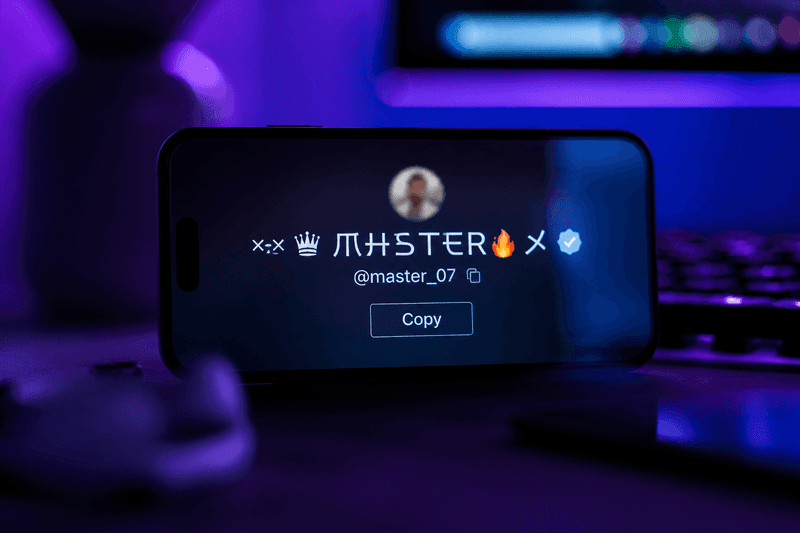
A stylish name generator turns plain text into fancy Unicode fonts and symbols you can copy and paste into games, social profiles, and chat apps — no download required. Type your name once, pick bold, cursive, or symbol-wrapped styles from the list, and paste the result wherever Unicode text is accepted. That is the fastest way to get a custom-looking tag without learning design tools or installing font apps.
StyleNameGen runs as a free browser-based stylish name generator on the homepage: enter text, browse dozens of converted styles, and copy the one you like. The same output works in PUBG, Free Fire, Instagram bios, Discord, and more when you test before saving.
What a Stylish Name Generator Actually Does
Regular keyboards only give you A through Z. A stylish name generator maps each letter to a Unicode look-alike — for example, bold 𝘼𝙡𝙥𝙝𝙖 or cursive 𝒜𝓁𝓅𝒽𝒶. These are real characters, not images, so they stay sharp on any screen size.
Some generators also add symbol frames around your text. Crowns, stars, brackets, and swords wrap your nickname without changing the letters inside. The best tools show every style at once so you can compare readability before copying.
You are not installing a font file. You are copying text that already looks styled. That is why paste works everywhere Unicode is supported.
Who Uses a Stylish Name Generator?
Players use it for in-game names where the game does not offer a font picker. PUBG and Free Fire fans want names that pop in kill feeds. Mobile gamers often search for a stylish name generator before spending a rename card.
Social media creators use the same tool for Instagram bios, TikTok display names, and Snapchat usernames. A styled bio line helps your profile look polished even when the app has no built-in font menu — see our cool Instagram bio names guide for display-name patterns that read well on mobile.
Groups and squads sometimes pick one style and everyone copies the same wrap so the team looks matched in lobby screens. Browse the gaming names hub when you want category ideas before you generate.
How to Use StyleNameGen Step by Step
- Open the StyleNameGen homepage on your phone or computer.
- Type your base name or word in the input box.
- Scroll the style list — bold, italic, cursive, monospace, and symbol wraps appear instantly.
- Tap copy on the style you want.
- Paste into your game, app, or bio field and save.
- If a character shows as a box, try a simpler style with fewer symbols.
Always test in the actual app before you lock in a paid rename. Filters change, and what works on Android might look different on iOS.
Popular Style Types to Try First
Bold Unicode is the safest pick for games. It stays readable in fast lobbies and usually passes name filters. Cursive and script styles fit aesthetic Instagram and TikTok profiles. Symbol wraps add flair but eat character limits — use one symbol on each side, not a full border.
For deeper font options, browse our stylish font generator guide or the fancy text generator walkthrough. Gamers should also check the nickname generator for gaming for squad-ready ideas.
Stylish Names for Games vs Social Media
Games care about character limits and filters. PUBG Mobile allows up to 16 characters; Free Fire has its own block list. Keep gaming names short, bold, and light on rare symbols. Use the PUBG Name Generator or Free Fire Name Generator when you want game-focused style presets.
Social apps are more forgiving. Instagram bios can hold longer styled lines. TikTok display names accept most Unicode. You can use softer cursive and sparkle accents there without hitting a hard cap as fast.
Match the platform to the vibe. A tryhard bold tag works in ranked; a soft aesthetic script works on a photo grid.
Common Mistakes to Avoid
- Over-decorating: Too many symbols make names hard to read and easier for filters to reject.
- Mixing font types: Bold plus cursive plus fraktur in one name looks messy.
- Skipping the paste test: Always preview in-game or in-app before confirming.
- Using blocked characters: Some emoji and rare scripts fail on certain platforms.
- Copying long phrases for games: Short nicknames survive filters better.
Tips for Names That Last
Pick a style you genuinely like, not just what is trending this week. Readable bold Unicode ages well even when aesthetic trends shift. Save two or three favorites in your notes app so you can swap if a game patch blocks one character.
If you want symbol-heavy looks, read our stylish name with symbols guide for wraps that still pass common filters.
Understanding Unicode and Device Support
Unicode is defined by the Unicode standard — a global standard for text characters. When a stylish name generator converts "Alex" to bold 𝘼𝙡𝙚𝙭, each letter becomes a separate Unicode code point that looks heavier on screen. Most modern phones and browsers ship with fonts that include these mathematical letter blocks.
Older devices may lack rare scripts. If you see empty boxes, your phone font does not include that character — not because the generator broke. Switch to bold or small caps from the same tool and paste again.
This is different from photo text overlays. Unicode stays selectable, searchable in plain form, and sharp at any zoom level. That is why gamers and creators prefer generators over image-based name art.
Phone vs Desktop: Where to Generate
Most users run a stylish name generator on the same device where they play or post. Generate on your phone, copy, switch to PUBG or Instagram, paste — done in under a minute.
Desktop is handy when you manage multiple accounts or write long bios. Larger screens make side-by-side style comparison easier. Copy still goes through your clipboard the same way.
Bookmark the homepage or generator page you use most so you do not hunt for tools mid-match.
Before and After: Plain vs Styled Names
Plain text "Shadow" and styled bold 𝐒𝐡𝐚𝐝𝐨𝐰 share the same letters but feel different in a lobby. The styled version catches eye movement in kill feeds without changing pronunciation for voice chat.
Plain "bloom aesthetic" in an Instagram bio looks flat. Cursive 𝒷𝓁𝑜𝑜𝓂 𝒶𝑒𝓈𝓉𝒽𝑒𝓉𝒾𝒸 reads as intentional branding. The words stay the same; only presentation changes.
Try three styles for one base word before you decide. Many users surprise themselves — they expect to want cursive but pick bold after seeing all options.
Building a Personal Style Kit
Save three go-to styles in your notes app: one bold for games, one cursive for social bios, one minimal for apps with strict filters. When a patch blocks a character, swap to backup style in seconds.
Share your style kit with squadmates so everyone uses compatible wraps. Unified teams look organized in screenshots and tournament listings.
Revisit your kit each season. You might keep the same core nickname for years while refreshing wraps to match new game themes or profile aesthetics.
Why Trust This Guide
Written by Ahsan Butt, Founder & CEO of StyleNameGen. StyleNameGen is built around Unicode text styling — the same method millions of players and creators use daily. We test styles across mobile games and social apps, update guides when filters change, and never ask you to install unknown software. Every example here works with the free tool on our homepage.