
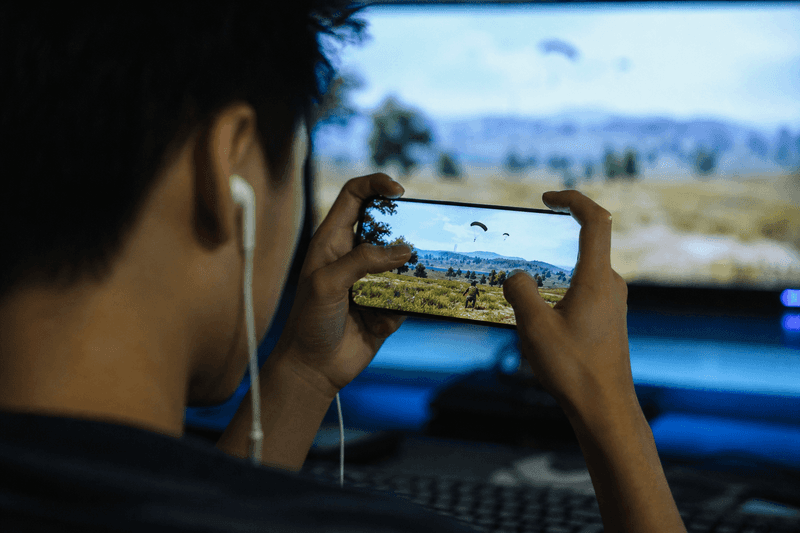
Stylish names for PUBG use the Unicode standard (Unicode) bold letters and simple symbol wraps so your tag looks pro in kill feeds without getting blocked. The best PUBG names stay under 16 characters, use one clean font style, and skip rare symbols that show as boxes on mobile.
Copy a styled name from a generator, paste it into PUBG Mobile's rename field, and confirm it displays correctly in lobby and match screens before you spend a rename card. That quick test saves time and in-game currency.
Why Your PUBG Name Matters
Your in-game name appears on every kill feed, leaderboard row, and squad invite. A readable stylish tag helps teammates spot you fast and makes your profile memorable when someone views match stats.
PUBG Mobile does not include a font menu. Players rely on copied Unicode to get bold or framed text. Clans use the same trick for short clan tags that sit next to member names.
A name that is too busy fails filters or gets trimmed. A name that is too plain blends in. The sweet spot is bold text plus one accent — a crown, bracket, or sword on each side.
PUBG Mobile Name Rules You Should Know
PUBG Mobile player names allow up to 16 characters. Clan names follow separate limits. The game blocks some special characters, and the block list can change after updates.
Stick to mathematical bold Unicode, small caps, and common symbol wraps. Avoid obscure scripts, long emoji chains, and characters outside the Basic Multilingual Plane when possible.
Always test on the device you play on. Android and iOS sometimes render the same Unicode differently in lobby UI.
Best Unicode Styles for PUBG
Bold sans Unicode is the top choice for ranked players. It reads clearly at small sizes in kill feeds. Bracket wraps like 【SQUAD】 or 『PRO』 add structure without using many extra characters. Crown and king symbols signal elite vibes — popular in TPP and squad lobbies.
Avoid stacking three font types in one tag. One style plus one wrap pattern looks intentional; mixed fonts look like a copy-paste error.
Stylish PUBG Name Ideas by Playstyle
Aggressive / Tryhard
Short bold tags with sharp symbols fit rush players. Think four-to-eight letter cores with bracket or sword wraps. Names feel fast and serious in close-range fights.
Squad Leader
Clan-style tags with matching wraps help squads look unified. Pick one wrap from the best gamer tag ideas list and share it with your team.
Stealth / Sniper
Minimal bold names with no extra symbols stay clean for long-range mains. Less decoration often means fewer filter issues.
How to Create Your PUBG Name
- Pick a short base word — your nickname or clan code.
- Open the PUBG Name Generator on StyleNameGen.
- Browse bold and symbol-framed styles.
- Copy your favorite and paste into PUBG Mobile profile settings.
- Join a training match and check kill feed display.
- If blocked, simplify symbols and retry.
For more gaming variety, see unique gaming names and the full gaming names collection.
Clan Tags vs Player Names
Clan tags are shorter and appear beside every member name. Keep clan codes three to six characters when possible. Use the same Unicode style across all members for a pro look.
Player names can carry more personality — your main nickname with one wrap. Do not copy a famous pro's exact tag; build something you will keep for seasons.
Symbol-heavy clan tags from our stylish name with symbols guide work well when you test them as a group before purchase.
Names That Usually Fail in PUBG
- Long strings over 16 characters
- Rare Unicode from unsupported languages
- Multiple emoji in a row
- Offensive or misleading symbols
- Mixing five different font blocks in one name
If rename fails, remove one symbol at a time until the name accepts. Bold-only versions almost always pass.
Seasonal Refresh Without Losing Identity
You do not need a totally new name each season. Swap one symbol wrap or switch from brackets to crowns while keeping the same core letters. Friends still recognize you; your profile looks fresh.
Save backup styles in notes so a patch that blocks one character does not leave you stuck.
Regional Servers and Display Differences
PUBG Mobile runs on many regional servers. Unicode support is generally consistent, but lobby UI fonts can render bold letters slightly thicker or thinner depending on device. A name that looks perfect on Samsung might look lighter on iPhone — still readable, just different weight.
If you play with friends abroad, ask someone on another device to screenshot your name in their kill feed. That quick check confirms your tag travels well across hardware.
Language settings rarely block Unicode nicknames, but avoid mixing right-to-left scripts with Latin letters unless you tested the combo.
Rename Cards: Spend Smart
PUBG rename cards cost real money or long grind sessions. Never confirm a stylish name until you have seen it in three places: profile screen, squad lobby, and live kill feed during a match.
Custom rooms let you test without pressure. Play one round, check how your name looks when you eliminate someone and when you are eliminated. Small UI contexts reveal readability issues early.
Keep a screenshot of your working styled name. If a future patch glitches display, you have proof of the exact characters to regenerate.
Squad Naming Strategies
Trios and squads win attention when names follow a pattern. Example pattern: same bold font, same bracket type, different middle word per player. Visual unity reads as a coordinated team in clips and scrims.
Designate one person to pick the wrap style in StyleNameGen and share a screenshot in group chat. Everyone copies the same frame with their own core nickname inside.
Avoid inside jokes strangers cannot parse. Funny to your group but confusing in random matchmaking hurts callout speed.
When to Go Minimal
Ranked grind sessions favor plain bold cores without symbols. Less visual noise helps focus. Save crown wraps for casual nights or content recording when you want extra flair on stream overlays.
Pros often use shorter tags in serious play. You can still own a longer aesthetic name on social while keeping a compact PUBG tag — many players maintain both. For social crossover, the cool Instagram bio names guide shows how to style a longer display name off the battlefield.
Why Trust This Guide
Written by Ahsan Butt, Founder & CEO of StyleNameGen. We focus on PUBG Mobile compatibility first — short tags, tested Unicode, and real paste workflows using StyleNameGen. We do not promise every style works forever because game filters update, but we explain how to test and fix issues yourself without third-party apps. Our fancy text generator and nickname generator for gaming articles use the same paste-first approach.