
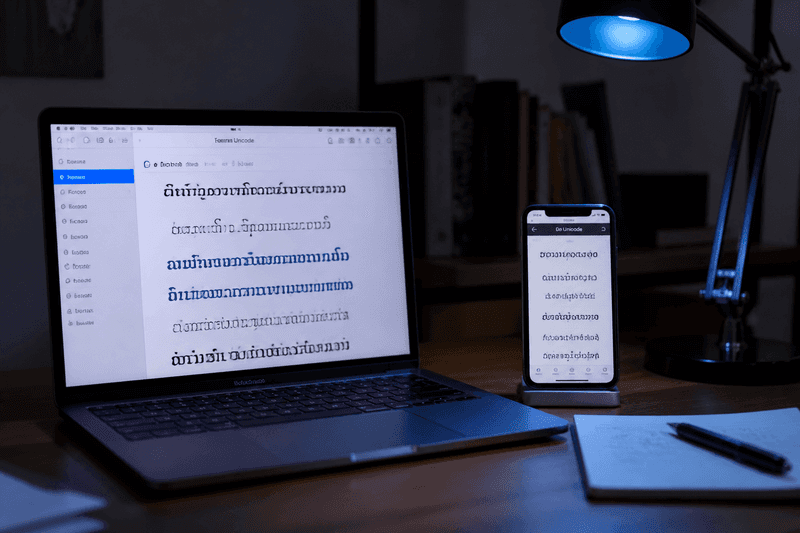
A fancy text generator converts normal letters into the Unicode standard (Unicode) characters that look like bold, cursive, gothic, or bubble fonts — then lets you copy and paste the result anywhere plain text is accepted. You are not installing a font file; you are swapping each letter for a visually similar symbol from the Unicode standard. That is why the same output works in Instagram bios, Discord display names, WhatsApp status lines, and many mobile games.
StyleNameGen's Fancy Names tool and the homepage generator produce these styles instantly from any word or phrase you type.
How Fancy Text Generators Actually Work
When you type "hello" into a generator, software maps each character to a counterpart in another Unicode block. Regular h might become a bold mathematical 𝗵, a cursive 𝒽, or a monospace 𝚑. The output is still plain text — email clients, chat apps, and social platforms treat it as a string they can paste and store.
This is different from:
- True font files (TTF/OTF) — require design software or browser @font-face
- Images of text — not selectable or accessible
- Rich-text formatting — bold in Google Docs does not transfer to Instagram
Because Unicode fancy text is copy-paste compatible, it became the standard workaround for platforms that never added font menus.
Popular Fancy Text Styles and When to Use Them
Bold and double-struck
Bold Unicode is the most reliable cross-platform style. Use it for gaming names, professional bios, and anywhere readability beats flair. Double-struck letters add a math-textbook look popular in study and tech communities.
Cursive, script, and italic
Script styles suit aesthetic social profiles and romantic quotes. Italic mathematical letters work for emphasis in shorter phrases. Long cursive sentences become hard to read — keep script styles under 15 characters for usernames.
Fraktur and gothic
Gothic Unicode looks dramatic in bios and headers. Some mobile games block certain gothic code points. Test before using gothic text as a permanent gamer tag — see the nickname generator for gaming guide for safer alternatives.
Bubble, square, and fullwidth
Bubble letters feel playful; square enclosed letters feel retro; fullwidth characters create vaporwave spacing. All three consume more horizontal space — preview on a narrow phone screen first.
Symbol wraps and decorators
Generators often add crowns, stars, brackets, or emoji around your base word. One wrap layer is enough. For deep symbol combinations, read stylish name with symbols next.
Where You Can Paste Fancy Text
Unicode fancy text works anywhere that accepts Unicode input and does not strip unknown characters:
- Instagram and Facebook bios, names, captions, comments
- TikTok display names and bios
- Discord display names and server nicknames
- WhatsApp about lines and group titles
- Many mobile games (with platform-specific filters)
- Twitter/X display names and posts
It usually does not work for: login usernames that require ASCII, official email addresses, or URLs. Hashtags should stay unstyled so platforms can parse them.
Step-by-Step: Generate and Copy Fancy Text
- Open the Fancy Names page or StyleNameGen homepage.
- Type your word, phrase, or nickname in the input box.
- Scroll the style list — each row shows a live preview of your text in that font.
- Tap or click Copy on the style you want.
- Paste into your target app. On mobile, long-press the field and choose Paste.
- If characters break, return to the generator and pick a simpler bold or bracket style.
Power user tip: Generate once, paste into your notes app, and save three favorites. Switch between them for bios, captions, and display names without retyping.
Fancy Text Generator vs Stylish Font Generator
Searchers often confuse these terms. A fancy text generator focuses on converting characters you type into styled Unicode output. A stylish font generator usually means the same underlying technology but emphasizes username-length output and symbol wraps for social and gaming identities.
On StyleNameGen, both workflows share the same engine — browse by use case on category pages like Aesthetic Names or Gaming Names. For font-category deep dive, read the stylish font generator article.
Tips for Readable, Shareable Fancy Text
- Use one style per line — mixing bold and bubble in one word looks chaotic
- Keep gaming tags short; keep bio quotes longer but still scannable
- Avoid zero-width and invisible Unicode — some platforms flag them
- Test on the device where your audience actually views your profile
- For letter-by-letter control, see fancy letters copy and paste
Fancy text is a branding tool, not a substitute for clear content. The best profiles pair one consistent styled name with plain-language bio sentences that explain who you are.
Real-World Examples: Fancy Text in Action
Creators use fancy text generators in predictable, repeatable ways once you know the patterns:
- Bio headline + plain body: First line in bold Unicode, remaining bio in normal text with emoji accents
- Story call-to-action: Bold "LINK IN BIO" or "NEW POST" styled text pasted into story text layers
- Comment engagement: Styled thank-you replies that stand out without spamming hashtags
- Group chat titles: WhatsApp and Telegram group names with bracket-wrapped words for event squads
Each use case favors a different style length. Story CTAs should be two to four bold words. Group titles can carry slightly longer bracket wraps because they are not scrolling in a kill feed.
Mobile vs Desktop: Copy-Paste Tips
On mobile, copy from the generator, switch apps, long-press the text field, and tap Paste. If paste is greyed out, the field may block Unicode — try the display name instead of the username field.
On desktop, keyboard shortcuts (Ctrl+C / Ctrl+V or Cmd+C / Cmd+V) work the same. Some browser extensions interfere with Unicode clipboard data — if paste fails, retry in a private window.
iOS sometimes converts certain Unicode to normalized forms when pasting into specific apps. If your bold text "flattens" to plain letters, the app stripped styling. Discord and Instagram generally preserve bold mathematical Unicode on current iOS versions.
Why Trust This Guide
Written by Ahsan Butt, Founder & CEO of StyleNameGen. StyleNameGen maintains its generator maps from standard Unicode blocks tested on current mobile OS versions — not random character mashups that break in games. We explain limits honestly: no generator guarantees every symbol passes every game's filter forever. You generate, test, and keep what works on your platforms.