
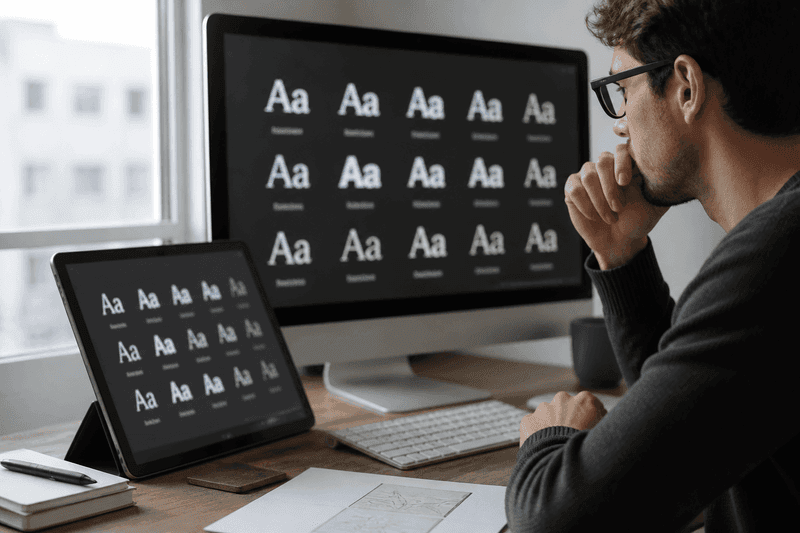
A stylish font generator produces the Unicode standard (Unicode) text that mimics custom typefaces — bold, script, gothic, monospace, and decorated styles — without installing fonts on your phone or PC. You enter a nickname, the tool maps each letter to a matching Unicode character, and you copy the output into Instagram, TikTok, Discord, WhatsApp, or supported games. The fonts that work most reliably are bold sans, simple script, and single-layer symbol wraps.
Start at the StyleNameGen homepage or browse themed lists on Fancy Names to preview dozens of font categories from one input.
Why "Font Generators" Use Unicode, Not Real Fonts
Instagram, TikTok, PUBG Mobile, and most chat apps do not let users upload font files to their profiles. Every stylish font you see in a bio or kill feed is actually a string of special Unicode letters that merely look like a font family.
That limitation is also the advantage: styled output travels anywhere copy-paste works. Change your Discord display name and your Steam friends list might show the same bold letters — no sync required.
True custom fonts still matter for logos and video thumbnails. For usernames and bios, Unicode generators remain the practical standard in 2026.
Top Stylish Font Categories for Usernames
Bold sans-serif (Mathematical Bold)
The workhorse style for gaming and clean social branding. Readable at small sizes, usually passes mobile game filters, and pairs well with one accent symbol. Ideal for competitive tags where teammates must read your name quickly.
Script and cursive
Popular for aesthetic Instagram and Pinterest-linked profiles. Best for names under 12 characters. Avoid script for fast-scrolling game kill feeds — letters blur together at a glance.
Monospace and typewriter
Favored in developer and tech Discord servers. Monospace Unicode gives a code-editor aesthetic without breaking platform rules on display names.
Gothic / Fraktur
High visual impact, moderate compatibility risk. Use for bios and quotes first; promote to a permanent gamer tag only after in-game testing.
Decorated and wrapped fonts
Some generators frame your text with stars, crowns, wings, or brackets. These "font plus frame" combos define many cool Instagram bio names and squad tags. Limit decoration to one motif.
Choosing a Font Style for Your Platform
Not every stylish font suits every app. Match the platform's culture and technical limits before you commit a rename card or public rebrand.
Social media profiles
Prioritize aesthetics and readability over filter strictness. Script, bold, and sparkle wraps dominate. Align with niche pages like Aesthetic Names if you run a soft, minimal, or dark-mood account.
Mobile games
Prioritize short bold tags and bracket wraps. Test in the rename screen before spending currency. Cross-read Gaming Names and the unique gaming names article for filter-safe patterns.
Messaging apps
WhatsApp and Telegram display names support Unicode well. Long styled phrases work in "about" lines; keep contact names shorter so callers recognize you.
Step-by-Step: Create a Stylish Font Username
- Write a plain base name — one word or tight two-word combo.
- Pick your platform first (game vs social) to narrow font choices.
- Open StyleNameGen and type the base name once.
- Compare at least five styles side by side — do not stop at the first result.
- Copy your favorite and paste into the target app's name field.
- Cancel or revert if the app blocks characters or truncates the tag.
- Save the plain and styled versions in notes if you switch accounts often.
If you need phrase-level styling beyond usernames, the fancy text generator guide covers longer copy-paste workflows for captions and bios.
Font Pairing Rules That Look Professional
- One font per field: Do not mix bold and bubble in the same display name
- One symbol language: Pick stars OR crowns OR brackets — not all three
- Contrast with plain text: Let your bio explain your account in normal letters
- Match your visuals: Soft script fonts clash with aggressive gaming thumbnails
- Stay on-brand across platforms: Use the same bold style on TikTok and Discord if you cross-post
Creators who treat their styled font as a logo — consistent everywhere — build recognition faster than those who change fonts weekly.
Stylish Font Ideas for Specific Niches
Different communities gravitate toward different Unicode "fonts." Matching your niche signals belonging before someone reads your bio.
- Fitness and coaching: Bold uppercase-style letters, minimal symbols, high contrast
- Art and photography: Script display names, plain @ handles, serif-like italic Unicode in bio quotes
- Music and DJ accounts: Fullwidth or square letters for retro club aesthetics
- Study and book accounts: Double-struck or italic mathematical Unicode for academic flavor
- Esports and ranked grind: Short bold tags — readability beats decoration in competitive contexts
Generate three variants for your niche, sleep on the choice, and pick the one you still like after 24 hours. Impulsive font swaps confuse returning followers.
Updating Your Font Without Losing Followers
Rebranding your styled font is fine — doing it weekly is not. When you change display names, announce it in a story or pinned post so friends update saved contacts. Keep your @ handle stable even when the Unicode display name evolves.
Seasonal accents (a moon symbol for Halloween, a flower wrap for spring) work if you revert to a core bold name after the event. Temporary wraps on a consistent base word preserve brand memory better than entirely new fonts each month.
When Stylish Fonts Fail (And Fixes)
Empty boxes (□): Your device or the app lacks that glyph. Switch to bold or brackets from the generator's top rows.
Name rejected: Game filters block specific code points. Remove rare symbols and retry with plain bold letters.
Truncated name: Styled Unicode counts as extra width visually. Shorten the base word or drop wraps.
Friends cannot find you: If your handle must stay ASCII, only style the display name — never expect friends to type Unicode to tag you.
Why Trust This Guide
Written by Ahsan Butt, Founder & CEO of StyleNameGen. StyleNameGen organizes font styles by real-world use — gaming-safe bold sets, aesthetic script bundles, symbol wraps tested at mobile preview sizes. We do not promise every font works in every app forever; platform filters update. Our workflow is generate, preview, test, then publish — the same steps experienced creators use daily.