
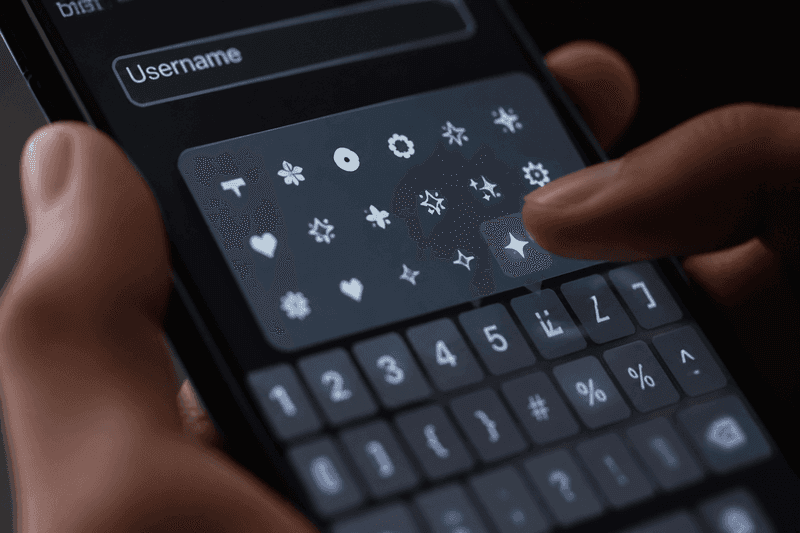
Fancy text symbols for usernames are decorative the Unicode standard (Unicode) characters — stars, crowns, brackets, arrows, and geometric shapes — placed around or beside styled letters to make a plain name look premium in games, bios, and chat apps. The best symbol wraps use one accent type on each side of a short base name so the result stays readable on mobile screens and passes common platform filters.
You copy symbol combinations from a generator or symbol library, paste them around your styled text, and test in the target app. Symbols do not change your @username on most platforms — they enhance display names, in-game names, and bio lines where Unicode is allowed.
Why Symbols Make Usernames Look Better
A base name like Shadow is fine. Wrap it as ★Shadow★ or 【Shadow】 and it instantly feels intentional — like a clan tag or creator brand. Symbols add visual weight without adding meaning you have to explain.
Human brains scan shapes before words in busy interfaces like kill feeds and comment threads. A consistent symbol wrap helps friends spot you faster among dozens of similar names.
The key is restraint. Symbols are seasoning, not the whole meal. When the symbols outnumber the letters, readability crashes and filters reject the name more often.
Popular Symbol Types for Usernames
These categories appear most often in working usernames across games and social apps:
- Stars and sparkles: ★ ✦ ✧ ⋆ — aesthetic and gaming-friendly.
- Crowns and royalty: ♔ 👑 — common in mobile battle royale clan culture.
- Brackets and frames: 【 】 『 』 「 」 — pro and tryhard aesthetic.
- Arrows and chevrons: ➤ ➣ ► — directional energy, popular in competitive tags.
- Hearts and flowers: ♡ ✿ — soft aesthetic profiles on Instagram and TikTok.
- Gaming icons: ⚔ ☠ 🔥 — use sparingly; many games count emoji as extra characters.
- Geometric shapes: ◆ △ ◈ — minimal modern look without emoji color clash.
Browse the full library on the Symbols page to copy individual characters, or use StyleNameGen to apply wraps automatically around your base name.
How to Combine Symbols With Fancy Fonts
Symbols and fonts solve different problems. Fancy fonts (bold, cursive, monospace Unicode) style the letters themselves. Symbols frame those letters. The winning formula is usually:
- Pick one font style for your base word.
- Add one matching symbol on the left and right — or one symbol total for ultra-minimal looks.
- Stay inside character limits — every symbol counts.
- Paste into your target app and confirm nothing was stripped.
For font basics, read fancy text generator and fancy letters copy and paste. For symbol-heavy name examples, see stylish name with symbols.
Symbol Username Ideas by Platform
Mobile games (PUBG, Free Fire, CODM)
Bold text with bracket or crown wraps survives most filters. Avoid emoji-heavy tags — some games strip color emoji but keep line symbols like ★. Test every name in a training lobby.
Instagram, TikTok, and Snapchat
Display names accept many symbols, but mobile UI truncates long strings. One wrap pair is enough. Match symbol tone to content — hearts for aesthetic, brackets for edgy.
Discord
Display names and server nicknames support broad Unicode. Symbols help you stand out in member lists with hundreds of users.
WhatsApp and Facebook
Group titles and about lines support symbols; core usernames may not. Use symbols in visible display fields only.
Copy-Paste Symbol Wrap Examples
Replace NAME with your styled or plain base word. These patterns are starting points — generate finished versions in one click on StyleNameGen:
- ★ NAME ★ — classic star frame
- 【 NAME 】 — bold bracket pro look
- ✦ NAME ✦ — light sparkle aesthetic
- ➤ NAME ➣ — competitive arrow wrap
- ♡ NAME ♡ — soft profile aesthetic
- ◈ NAME ◈ — minimal geometric
- 『 NAME 』 — Japanese-style bracket, popular in anime gaming communities
Do not stack multiple wrap types — ★【NAME】★ rarely improves on one clean frame.
Character Limits and Filter Survival
Every symbol consumes a character slot in games with 12–16 character caps. A four-symbol wrap around a ten-letter name fails before you paste. Short base words — Ace, Neo, Viper — leave room for decoration.
Platform filters change silently. Characters that worked last month may fail after a game patch. Keep a plain backup name and avoid paid rename until you test.
Rare Unicode symbols outside the Basic Multilingual Plane show as □ on older phones. Stick to common stars, brackets, and geometric shapes from the Symbols library for maximum compatibility.
Step-by-Step: Build a Symbol Username
- Choose a short base name (3–8 characters ideal for wrapped tags).
- Style the letters using stylish font generator if you want bold or cursive text.
- Open Symbols or StyleNameGen symbol-wrap styles.
- Copy the full wrapped string — not symbols and name separately unless you are composing manually.
- Paste into your game name field, bio, or display name.
- Verify on a second device if possible — especially Android vs iPhone.
Common Symbol Username Mistakes
Symmetry obsession: Matching left and right symbols is clean, but one well-placed accent often looks more modern than a full frame.
Mixing emoji and line symbols: Color emoji next to ★ brackets can look inconsistent across operating systems.
Illegible font + heavy wraps: Cursive Unicode inside triple brackets is hard to read at notification size.
Ignoring search: Styled display names are fine; keep searchable @handles in plain text so people can find you.
Seasonal and Theme-Based Symbol Wraps
Many creators rotate symbol accents with seasons or events — snowflake-style characters in winter, flower wraps in spring, fire accents during competitive ranked seasons. Because display names are cheap to change on social apps, symbol wraps become part of your profile refresh without a full rebrand.
Keep a core base word stable and swap only the outer symbols. Followers still recognize you while your profile feels current. In games with paid renames, seasonal rotation is expensive — pick one timeless wrap and stick with it unless you earn free rename items from events.
When a new game launches, check whether it inherits symbol support from your previous main title. Cross-gen ports sometimes strip Unicode that worked in the mobile version — retest every symbol username when you install a new release.
Why Trust This Guide
Written by Ahsan Butt, Founder & CEO of StyleNameGen. StyleNameGen maintains a curated symbol set tested against popular games and social apps — not every Unicode character on the internet. We explain the difference between display-name styling and username rules so you do not waste renames on characters that get blocked. This guide is updated for how platforms handle symbols in 2026.