
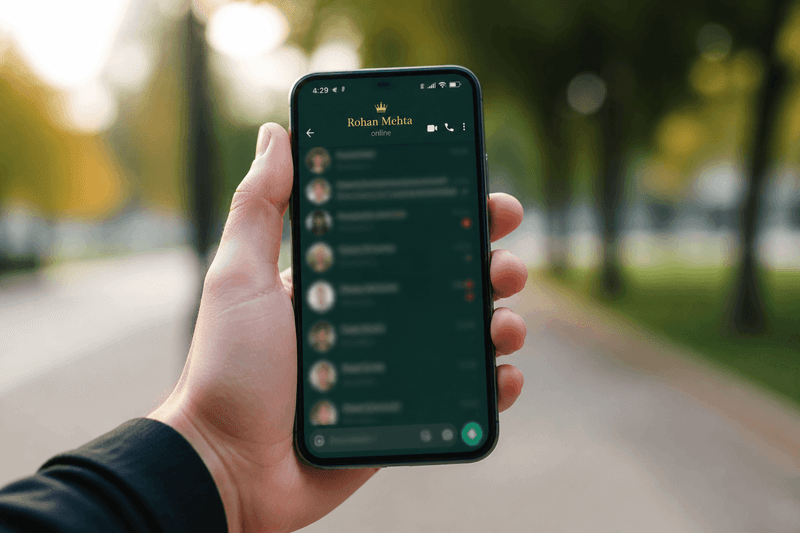
A stylish name for WhatsApp is your display name, group title, or status text upgraded with the Unicode standard (Unicode) fancy fonts and light symbol accents — copied from a generator and pasted directly into the app. WhatsApp has no built-in font picker, but it accepts styled Unicode characters in almost every text field.
Your WhatsApp name shows up every time you message someone, join a group, or appear in a contact list. A clean styled name helps friends recognize you instantly and adds personality without changing your phone number or account.
This guide covers where fancy text works in WhatsApp, which styles display best on Android and iPhone, and how to update your profile step by step.
Where Fancy Text Works in WhatsApp
WhatsApp supports Unicode styled text in more places than most users realize. You are not limited to your profile name alone.
- Profile display name: The name contacts see in chats and call screens.
- About / bio line: Short text under your name — great for quotes or aesthetic phrases.
- Status updates: Temporary text and emoji posts visible to your contact list.
- Group names and descriptions: Styled titles for family groups, squads, or study chats.
- Message text: Styled words inside normal messages — useful for announcements.
Each field has different length limits. Profile names truncate in compact UI views, so keep styled names under 25 characters when possible for the cleanest look on all screen sizes.
Best Font Styles for WhatsApp Names
WhatsApp renders Unicode reliably on current Android and iOS versions, but older devices may struggle with rare scripts. Stick to widely supported styles for the widest reach among your contacts.
Bold Unicode is the safest choice for display names — readable in chat headers and contact lists. Cursive and script styles work well for About lines and aesthetic statuses. Symbol wraps with one crown, star, or flower on each side add flair without breaking layout.
Avoid stacking multiple font types in one WhatsApp name. Bold plus italic plus strikethrough in a single string looks busy on small screens and may confuse older WhatsApp builds.
For symbol-heavy options, read our stylish name with symbols guide. For letter-only fancy styles, the fancy letters copy and paste article covers the best Unicode alphabets for messaging apps.
How to Change Your WhatsApp Display Name
- Open StyleNameGen and type the name or phrase you want.
- Browse results and tap copy on your favorite styled version.
- Open WhatsApp → Settings → tap your profile photo or name.
- Tap the name field, delete the old text, and paste your styled name.
- Tap Save and check how it appears in a chat header and contact list.
On Android, the path is Settings → your profile → name field. On iPhone, tap Settings → profile → Name. The steps are nearly identical on both platforms in 2026.
Styling Your WhatsApp About and Status
Your About line is prime space for a short aesthetic phrase — a song lyric, a mood word, or a styled quote. Status updates disappear after 24 hours by default, making them perfect for experimenting with bolder cursive or sparkle-accent styles you might not want permanently on your profile.
Popular About styles include lowercase cursive mood words, bold single-word statements, and short phrases with one symbol on each end. Keep About text under 139 characters — WhatsApp enforces a limit, and styled Unicode counts the same as normal letters.
For status text, match the vibe to your profile. If your display name is bold and clean, let your status carry the decorative cursive or symbol accents. Consistency looks intentional; random style mixing looks accidental.
Stylish WhatsApp Group Names
Group admins can set styled Unicode titles that appear in every member's chat list. Bold text with bracket wraps — like a squad name inside 【】 — looks organized and easy to spot among dozens of groups.
When naming family or friend groups, consider readability first. Not every member uses a new phone. A simple bold group title displays correctly for grandparents and classmates alike. Save elaborate symbol wraps for gaming squads where everyone expects styled names.
Group descriptions support longer styled text. Use them for rules, links, or welcome messages in fancy fonts while keeping the group title short.
WhatsApp vs Other Messaging Apps
WhatsApp is more permissive with Unicode than some games but stricter than Instagram bios in terms of how names truncate. Compared to Facebook, WhatsApp shows your display name in more contexts — calls, forwarded messages, and group member lists — so clarity matters more.
If you also style names on Facebook, see our cool Facebook names guide for profile-specific tips. Display rules differ slightly between the two Meta-owned apps.
Tips for Contacts on Old Phones
Unicode support improves every year, but some contacts may still see boxes instead of rare symbols. If your styled name uses common bold or cursive Unicode from the Basic Multilingual Plane, almost everyone sees it correctly.
Test by messaging one friend on an older Android device. If they report broken characters, simplify your style — drop exotic symbols, keep bold letters, and retest. Your close contacts' experience matters more than maximum decoration.
The Unicode names section on StyleNameGen filters toward compatible character sets that work well in messaging apps.
Privacy and Styled Names
A stylish WhatsApp name does not hide your phone number from people who have it saved. Unicode styling is cosmetic only — it does not affect privacy settings, blocked contacts, or who can message you.
Avoid putting sensitive personal information in styled About or status text just because it looks cool. Treat styled fields with the same privacy awareness as plain text.
If you switch phones, your styled WhatsApp name travels with your account backup. You do not need to regenerate unless you want a fresh look — another reason to pick a timeless bold or cursive style over a trendy symbol combo that may feel dated in a few months.
Why Trust This Guide
Written by Ahsan Butt, Founder & CEO of StyleNameGen. StyleNameGen is used daily by WhatsApp users copying Unicode names and status text. We test output on current Android and iOS WhatsApp builds and recommend styles that render in chat headers — not just in a desktop browser preview. These steps match the 2026 WhatsApp interface on both major mobile platforms.